
Your Whole Team,
One Back Office.
From first shift to final payslip — records, rostering, attendance and MPF-ready payroll, inside the dashboard you already run.
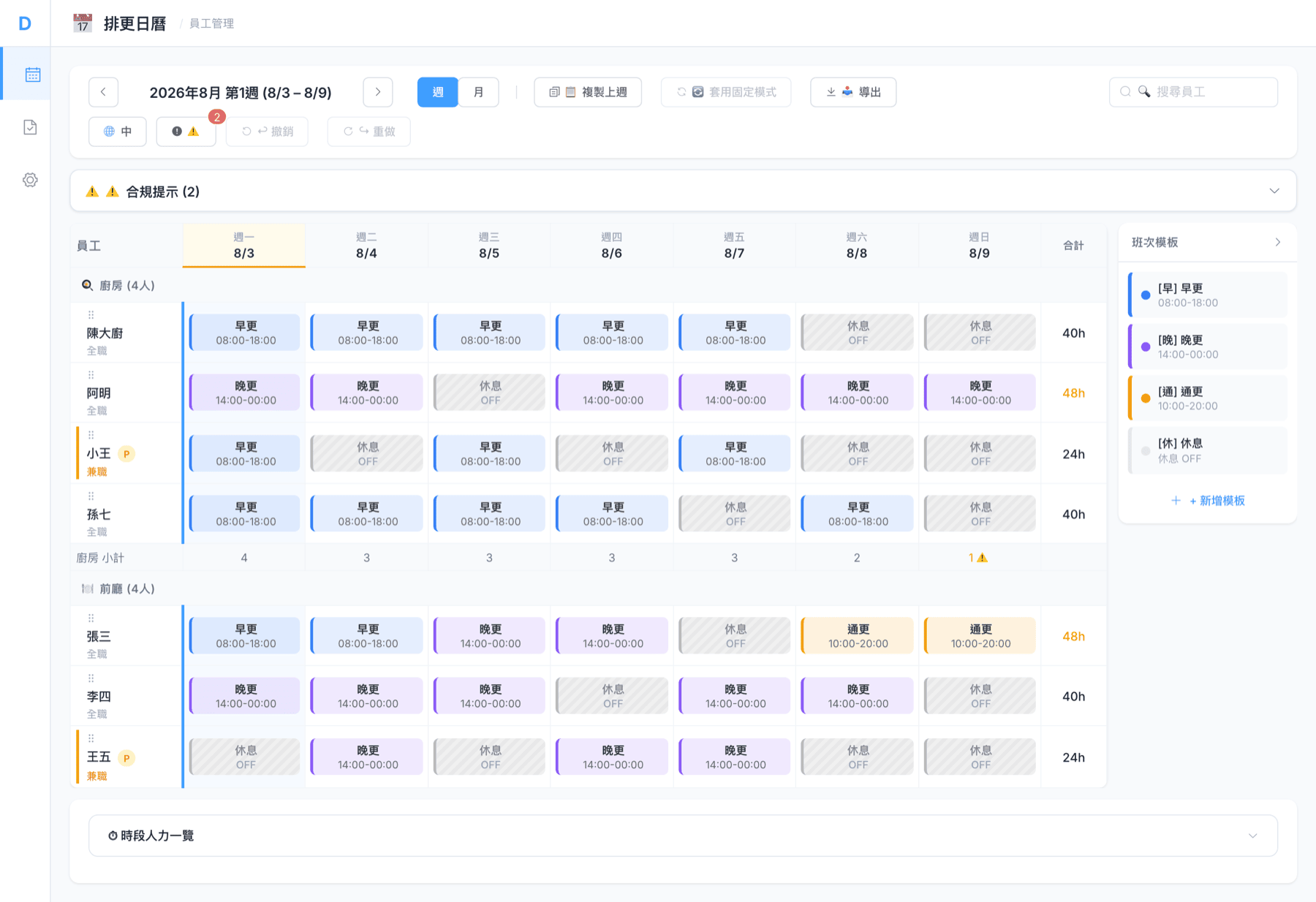
Let A.I. Write Next Week's Roster
One click turns your staffing rules and each person's availability into a complete, compliant week — you review before anyone is scheduled.
-
One-click draft — a full week in seconds, not an afternoon of spreadsheets.
-
Fills coverage gaps — every shift below your minimum-staffing rule is staffed for you.
-
Works around your people — respects each employee's status, rest days and availability.
-
You keep the final say — A.I. proposes; you review and tweak before it is published.
Built for busy restaurants
Stop Running Your Team on Spreadsheets
Scattered rosters, paper timesheets and month-end maths cost hours. DoLA replaces all three with one workflow.
One source of truth
No more WhatsApp rosters and rival spreadsheets. Every shift, clock record and pay figure lives in one place.
No double entry
Staff already clock in on the POS. Those hours become attendance and feed payroll on their own.
Compliant by default
MPF, overtime, public holidays and rest days follow Hong Kong rules automatically.
One Module for Every Part of the Job
Six connected tools cover the lifecycle — from onboarding to tax filing.
Employee Records
Every waiter account becomes an employee profile automatically — positions, pay rates, hire dates and status.
Shift Scheduling
Drag-and-drop rosters. Save templates, copy last week, and watch labour cost update as you build.
Attendance
POS clock-ins flow straight in. Compare scheduled vs actual hours and spot lates and no-shows at a glance.
Payroll
Auto-calculate monthly pay from real hours — overtime, holidays and MPF included. Review, adjust, confirm.
Pay & Compliance Rules
Configure positions, shift templates, staffing thresholds and pay rules once — applied to every roster and payslip.
Employer Tax Filing
Generate IRD-ready IR56B / M / E / F / G XML straight from confirmed payroll.
Rosters That Respect the Rules
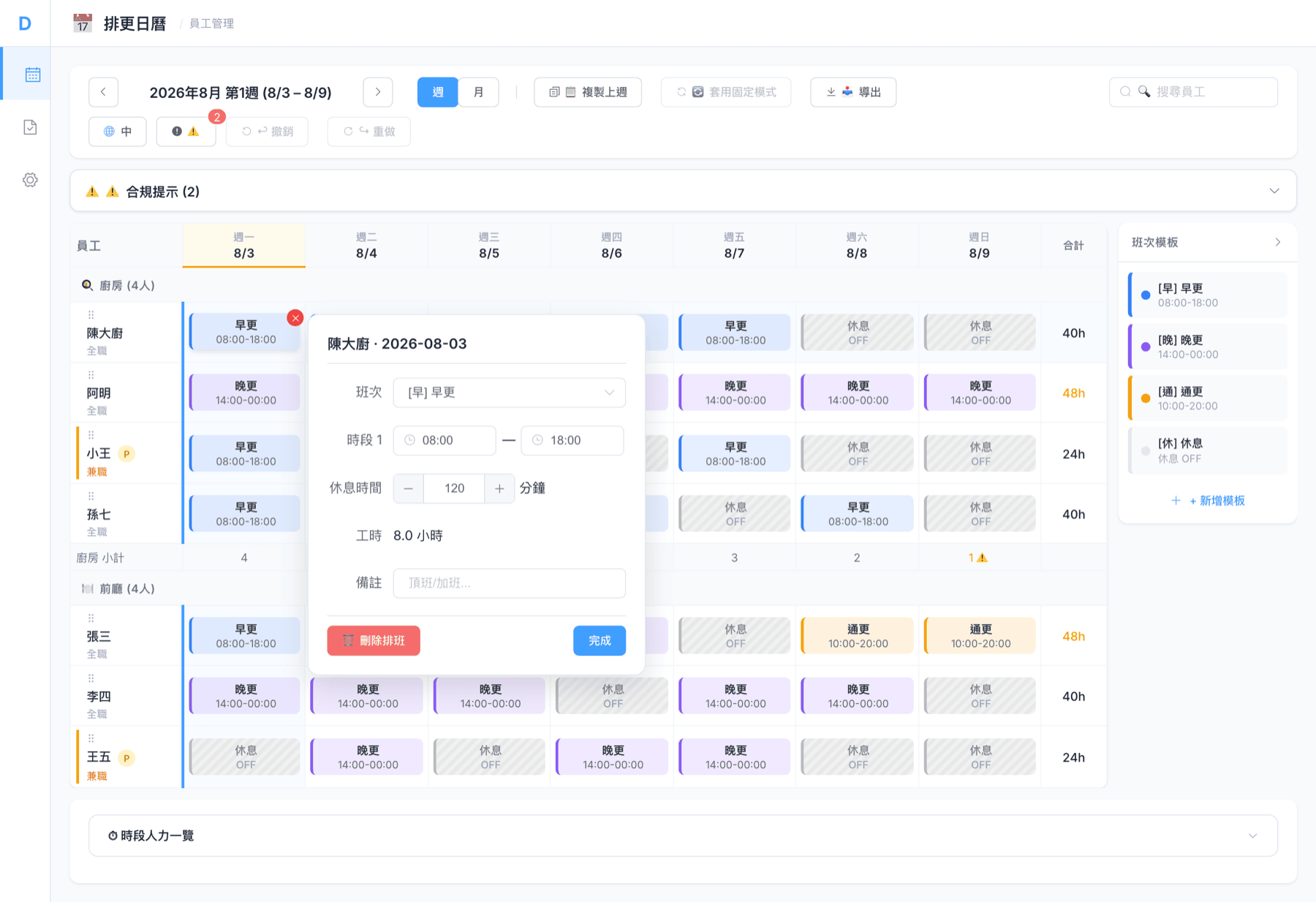
Drag shifts onto the grid, reuse a template, copy last week — under-staffed shifts are flagged before they reach the floor.
-
Drag-and-drop grid — week or month view, built for a busy manager on a small screen.
-
Templates & copy-week — set your regular roster once and reuse it in seconds.
-
Compliance alerts — shifts below your minimum-staffing rule are flagged as you plan.
-
Live labour cost — see the estimated wage bill for the roster as you build it.
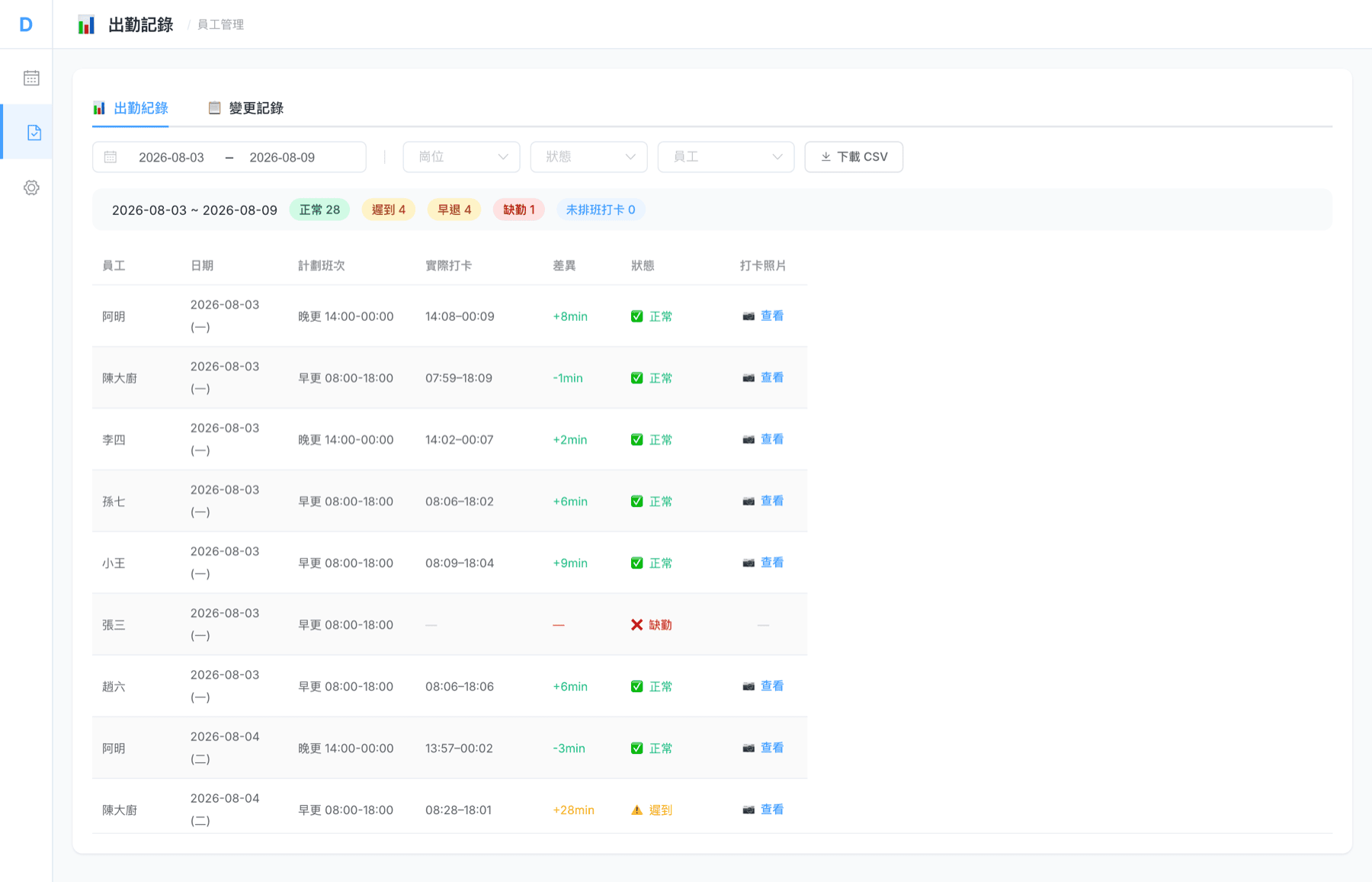
Attendance That Fills Itself In
Your team clocks in and out on the DoLA POS, so actual hours line up against the plan on their own — lates and no-shows surface without chasing paper.
-
Synced from POS clock-in — no separate timesheet app, no manual entry.
-
Scheduled vs actual — late, early and absent shifts are flagged automatically.
-
Filter & export — by date, position or status; download a CSV for your records.
-
Change log — every adjustment is recorded, so the numbers stay accountable.
Payroll in Minutes, Not Days
At month-end, payroll builds itself from captured hours — overtime, holidays, rest days and MPF applied. Review, confirm, then file IR56 in the same flow.
-
Calculated from real hours — full-time and part-time, monthly or hourly.
-
MPF built in — 5% employer and employee contributions with the right thresholds.
-
Draft → Adjusted → Confirmed — a clear approval flow before anyone gets paid.
-
One-click IR56 — IRD-ready XML generated straight from confirmed payroll.
Run the Roster From Your Phone
A server calls in sick at 7:30am? The scheduling workspace lives in the DoLA Connect app — same login, same data — fix the week from the floor.
-
The whole week, on mobile — the same roster as the Dashboard, stacked or wide-table.
-
Fix it on the floor — tap a day to add, swap or remove a shift, mid-service.
-
One tap to save — staged changes post in a single save.
-
Nothing new to set up — the same login and data as the Dashboard your team already runs on.
DoLA Connect · iOS & Android
Your Full Toolkit, in Your Pocket
Everything the desktop does, mobile-native: draft a week with A.I., copy last week, spot gaps and export — the rules stay set on the Dashboard.
-
A.I. builds the week — review coverage, gaps and estimated cost, then apply.
-
Copy & heatmap — reuse last week and spot understaffed hours at a glance.
-
Export anywhere — download or share a CSV or PDF straight from your phone.
-
Rules stay governed — templates and pay policy stay set on the Dashboard.
DoLA Connect · iOS & Android
Live in Four Steps
HR & Payroll switches on inside your existing DoLA Dashboard — there's nothing new to install.
Connect
Your staff already have POS accounts, so their HR profiles appear on day one.
Roster
Build the week with drag-and-drop, guided by your staffing and pay rules.
Track
Clock-ins flow in and reconcile against the plan — no timesheets to chase.
Pay & File
Run payroll, confirm, and export IR56 for the IRD — all in one place.
Hong Kong Compliance, Built In
The statutory details that trip up restaurants at month-end are handled for you.
MPF contributions
Mandatory 5% employer and employee contributions, with income thresholds applied each month.
IR56 employer filing
IR56B, IR56M, IR56E, IR56F and IR56G XML in the format the IRD accepts, direct from confirmed payroll.
Holidays & rest days
Statutory holidays, rest days and overtime are recognised in scheduling and pay.
Local by design
Hong Kong time zone and HK dollars throughout — figures match roster and payslip.
Frequently Asked Questions
Do my staff need to create new accounts?
No. HR profiles are generated automatically from the waiter accounts your team already uses on the DoLA POS.
Where does attendance data come from?
Straight from POS clock-in and clock-out — scheduled shifts are compared against actual hours automatically.
Does DoLA calculate MPF?
Yes. Monthly payroll calculates the mandatory 5% employer and employee MPF contributions with the relevant income thresholds.
Can I file employer tax returns?
Yes. From confirmed payroll you can generate IRD-compliant IR56B/M/E/F/G XML files.
Is this a separate system to log into?
No. HR & Payroll is a module inside the DoLA Dashboard — same login, same permissions, same data.
Ready to Put Your Back Office on Autopilot?
Book a free demo — see rostering, attendance and payroll working on your own workflow.