
Let Guests Order,
You Run the Floor.
A guest-facing kiosk on your existing DoLA backend — same menu, same prices, same kitchen flow. Guests order and pay; tickets fire straight to your POS.
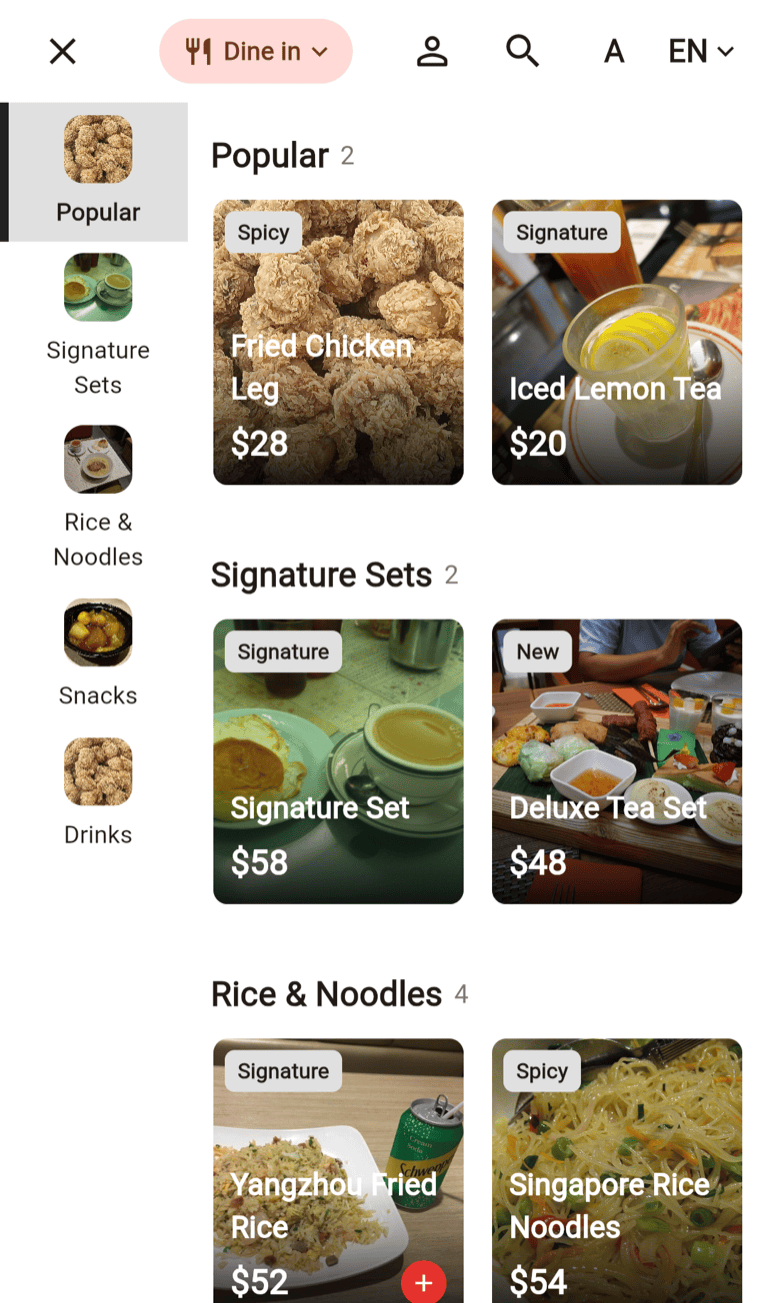
Built for busy restaurants
Your Counter, Minus the Queue
One lunch rush shows the maths: a kiosk takes orders in parallel, never mishears, and frees your counter staff.
Shorter queues
Guests order the moment they walk in — several at once during peak.
Bigger tickets
Photo menus, combos and cart add-ons do the upselling for you, on every order.
Fewer mistakes
Guests pick modifiers, spice level and allergen tags; the server prices everything. No mishears, no re-fires.
Everything a Great Kiosk Should Do
Not a stripped-down menu board — the full DoLA ordering experience, self-served.
Menu, Combos & Modifiers
Photo cards, combo meals and modifier options — allergen tags and sold-out states always accurate.
Members & Loyalty
QR, phone or email sign-in unlocks member prices, points, stored value and coupons.
Every Way to Pay
EMV cards and Octopus on your POS terminals; WeChat Pay and Alipay by scanning the guest’s payment code.
5 Languages & Accessibility
English, Traditional Chinese, Japanese, Korean and Thai — plus larger text and Chinese search.
Your Brand, Your Look
Welcome screens, photos or video, card styles and colours — all from the Dashboard.
Dine-in & Takeaway
A clear dine-in / takeaway choice up front — packaging fees handled at checkout.
Owners See the Numbers. Managers Feel the Shift.
A kiosk has to earn its spot in the accounts and in the Friday-night rush. This one was built for both.
For the owner
-
More revenue per hour — photo menus, combos and add-on prompts lift the average ticket.
-
Labour goes further — the kiosk takes orders all day, so the same team covers more.
-
One brand, every branch — styling is set once in the Dashboard, the same on every screen.
-
No heavy investment — affordable Android touchscreens plus the DoLA backend you already have.
For the manager
-
Calmer rush hours — guests order themselves while your staff plate, run and host.
-
Fewer disputes — the guest chose it and saw the exact price and allergen tags.
-
Menu control stays with you — sold-outs, price changes and new dishes flow straight from the Dashboard.
-
No mystery orders — unclear payments lock for staff with a clear message.
Your Brand, Not Ours
Your photos on the welcome screen, your colours on every button, your menu the way you plate it. Change it in the Dashboard; the device updates itself.
-
Welcome screen, your way — full-bleed photo, video or a clean wordmark layout.
-
Colours & card styles — brand colour, card styles, density and corner shapes.
-
No developer needed — every option is a Dashboard setting.
-
Sensible when idle — the kiosk returns to the welcome screen by itself.
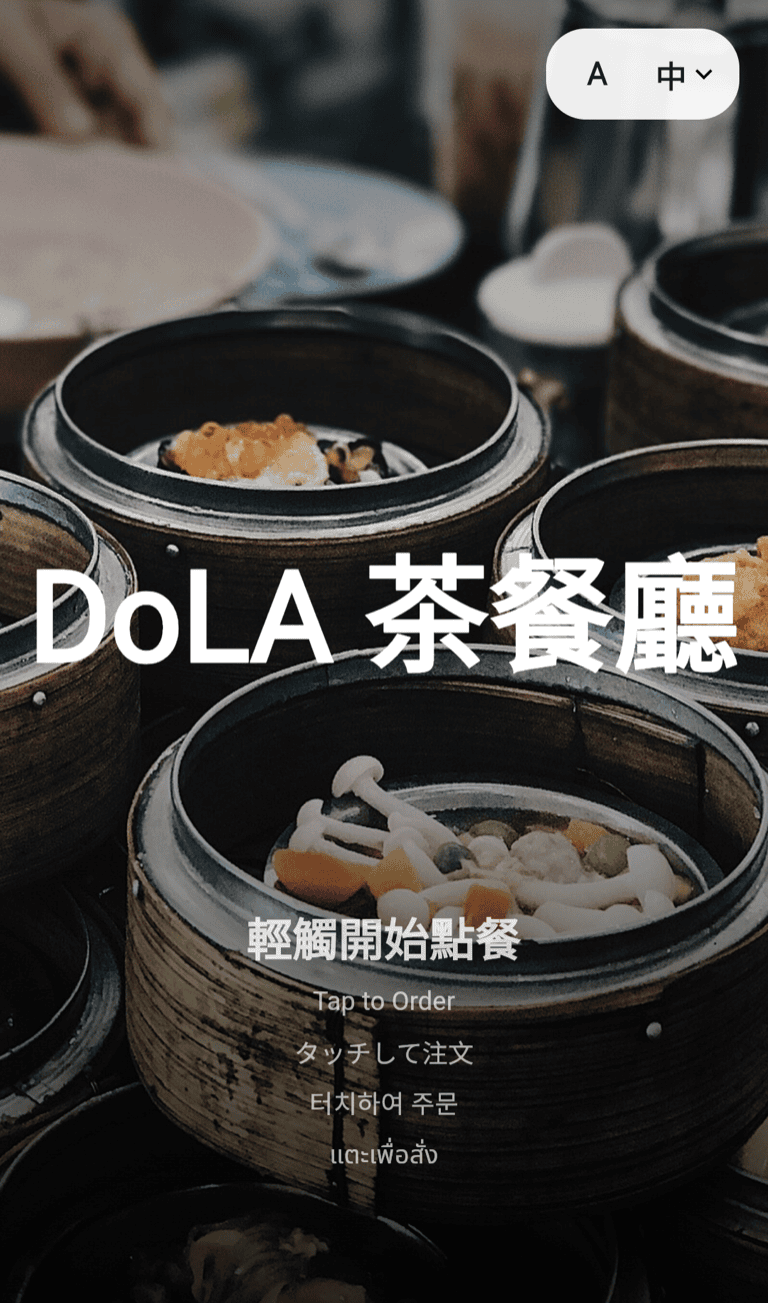
DoLA Self-Order Kiosk
Loyalty That Works at the Kiosk Too
A quick QR, phone or email sign-in brings member prices, points, stored value and coupons into the order — always priced by the server.
-
Sign in, three ways — membership QR, phone or email; identity stays masked.
-
Coupons done properly — usable coupons first, with validity and rules shown.
-
Stored value & points — pay with balance and earn points, same as at the cashier.
-
Server-priced, always — every discount and total comes from the backend.
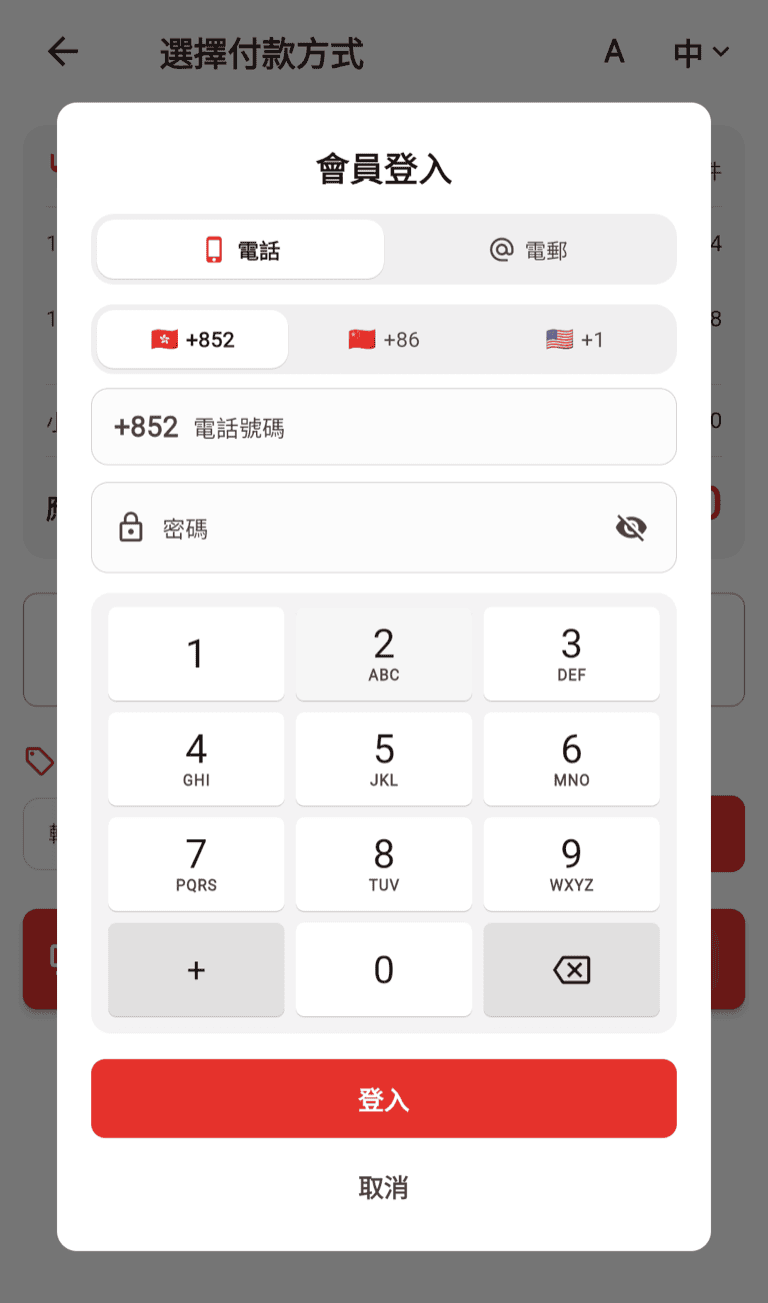
DoLA Self-Order Kiosk
Every Way Your Guests Pay
Same terminals and partners as your DoLA POS — cards, Octopus and QR wallets just work. An unclear payment holds the order for staff.
-
EMV cards & Octopus — on the same terminal, via DoLA’s payment partners.
-
WeChat Pay & Alipay — guests show their payment code and the kiosk scans it.
-
Member wallet — stored-value balance settles the order in one tap when it covers the total.
-
Honest by design — no capture, no order; unclear payments lock for review.
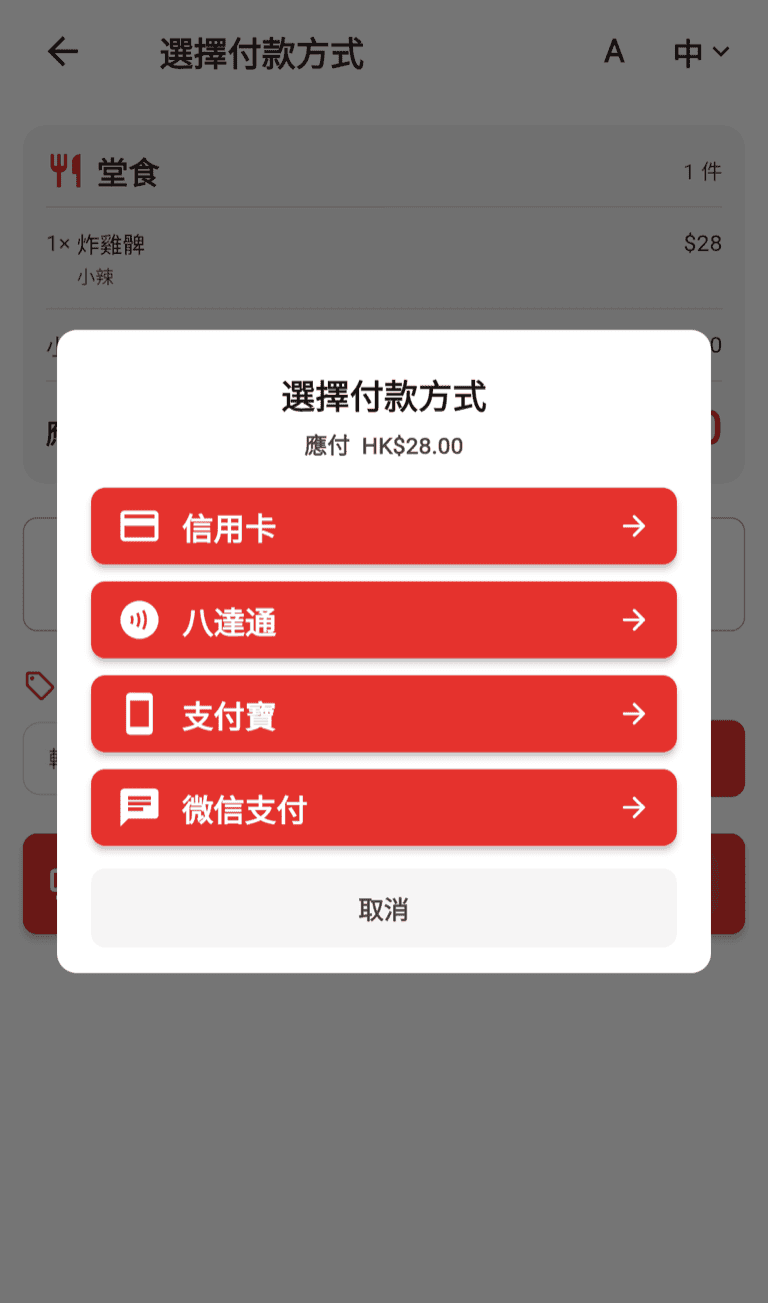
DoLA Self-Order Kiosk
One Kiosk, Two Jobs — Ordering and Quick Checkout
Staff took the order at the table? Guests scan the code on their receipt, the order appears on screen, and they pay how they like — no queue, no re-keying.
-
Scan the receipt — the kiosk reads the printed code and pulls up the exact order.
-
Every payment lane — cards, Octopus, WeChat Pay, Alipay and member wallet.
-
Receipt on demand — once settled, guests can print their receipt right at the kiosk.
-
One switch in the Dashboard — set it shop-wide or per device.
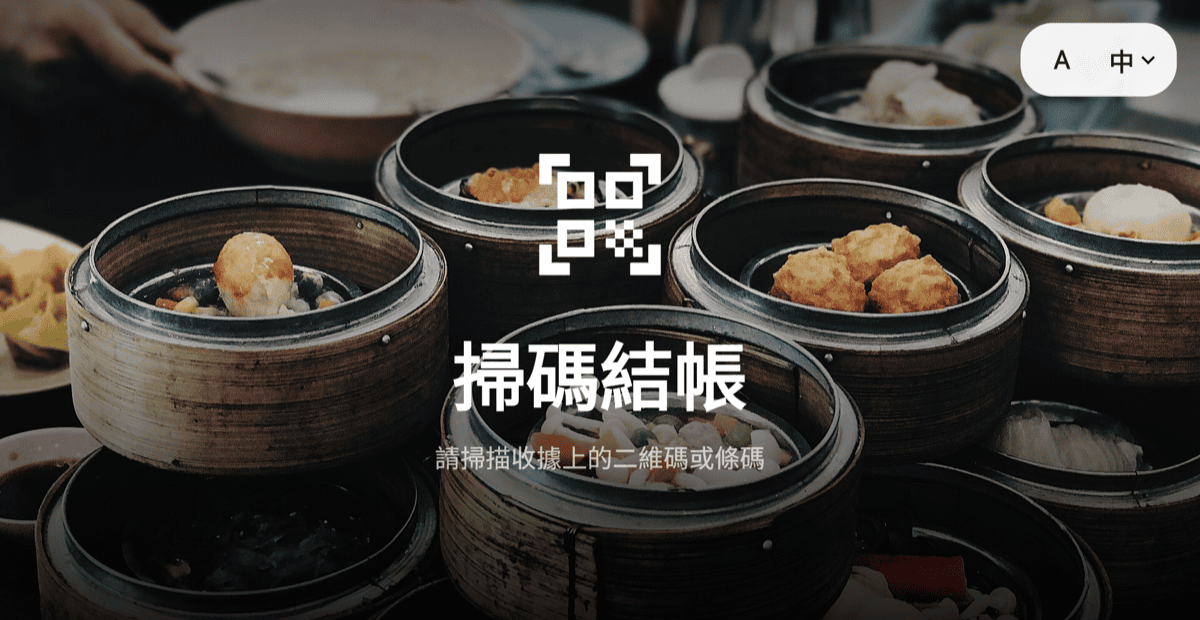
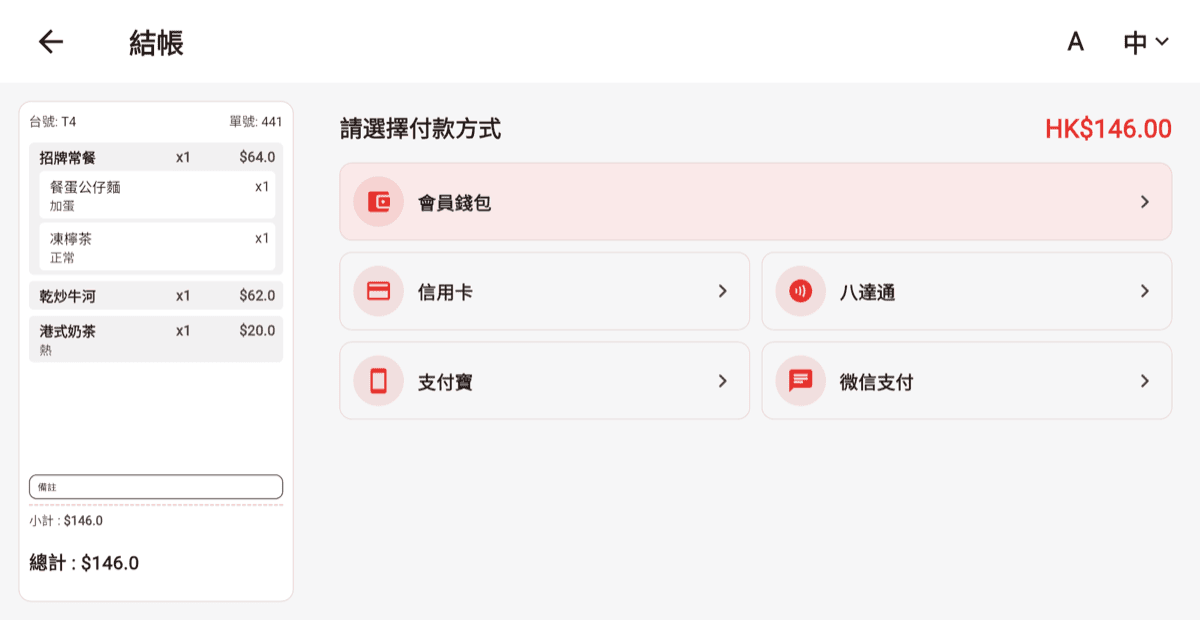
DoLA Self-Order Kiosk — Quick Checkout Mode
Live in Four Steps
Another client of the DoLA backend you already run — no second menu to maintain.
Mount
A portrait Android touchscreen on a wall or stand, locked into kiosk mode.
Style
Pick a welcome layout, upload your photos or video, and set colours from the Dashboard.
Guests order
Browse, customise, sign in for member perks and pay — in any of five languages.
Kitchen fires
Orders land in your POS and printers like any other order — no re-keying, no delay.
Ready for a Busy Floor
The unglamorous details that make an unattended screen dependable are already handled.
Runs on budget hardware
Runs on affordable portrait Android touchscreens — no proprietary terminal to buy.
Locked down & self-resetting
The device stays pinned to the kiosk; idle sessions reset to the welcome screen.
Guest privacy respected
Members are greeted by nickname or masked number — never full details on screen.
Honest when things go wrong
A failed payment shows a clear message and holds the order for staff.
Frequently Asked Questions
Does it work with my existing DoLA menu?
Yes. It runs on the same DoLA backend as your POS — menu, prices and sold-out states sync automatically, and orders land in the POS and kitchen as usual.
What payments can guests use?
Same terminals as the DoLA POS: EMV cards and Octopus, WeChat Pay and Alipay by scanning the guest payment code, and member stored value — per your store setup.
Can guests use membership and coupons?
Yes. Guests sign in by QR code, phone or email for member prices, points, stored value and coupons — the same membership your POS runs.
Which languages does the kiosk speak?
English, Traditional Chinese, Japanese, Korean and Thai. Guests switch any time; larger text is one tap away.
What hardware do I need, and can I change the look?
A portrait Android touchscreen — budget models work well — wall or stand mounted, locked in kiosk mode. All visuals are configured from the DoLA Dashboard.
Ready to Shorten the Queue?
Book a free demo — see the kiosk running your own menu, end to end.